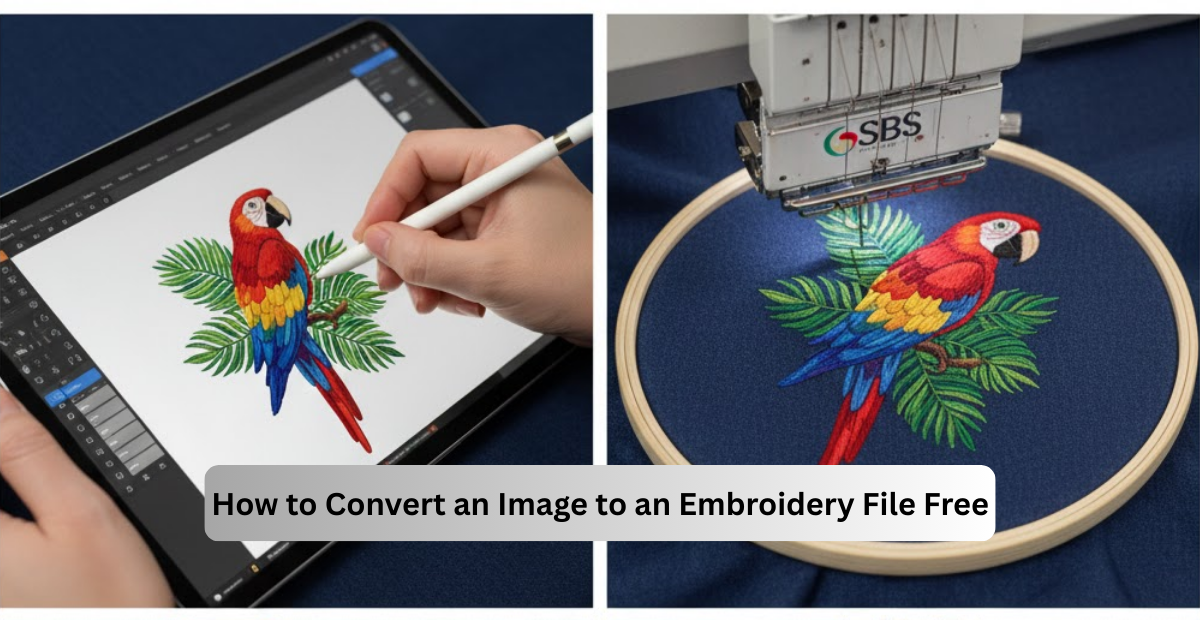
Turning a simple picture into an embroidery file may seem technical, yet these days there are no obstacles to doing it even without costly software. Whether you are working with a logo, photo, PNG or JPG, this guide provides our step-by-step guide to converting it as a DST, PES, JEF or any embroidery free from charge.
The idea in all of this is to make everything easy, friendly and practical like the way your SBS Digit helps businesses for stitching results in a professional way.
Understanding Just What Is Embroidery Digitizing
Digitizing is conversion to the file that the normal image e.g. a photo or a logo can convert into in a file your embroidery machine can read. A machine can’t understand pixels, colors and photos. It only knows how to do stitches so the image must be transformed into stitch paths.
This includes following tracing shapes, determining types of stitches, regulating density and determining how fabric behavior will occur. That is why digitizing has an impact on the sharpness, neatness, and cleanliness of the final embroidery. Even though there are free tools that you can use, it always goes smother and more reliable when you go pro.
Can You Convert a Photo to an Embroidery File (Free)?
Yes, you can turn a photo or image into for free, but it is all down to the complexity of the picture. Simple logos convert easily. Photos, gradients and shadows are harder while they need several stitch layers and adjustments by hand.
Free tools are available to help get a basic file, but for advanced photos, it still requires a professional digitizing service to make realistic looking photos.
What AI Can do To Create Embroidery Files?
AI can help in simple digitizing. It has the ability to detect outlines, convert shapes and make automatic stitches. But AI can’t even understand fabric stretch, push-pull effect, thread change and perfect density control.
So, AI incentives are notable for experimentation however not in substitute for manual digitizing at least for business embroidery or detailed designs.
JPG Embroidery Format How to Convert JPG to DST
DST is by far the most common format of emulsion used for embroidery, and it’s the one that most is used for Tajima machines. You may use free tools such as Ink/Stitch to convert a JPG file to DST file.
The basic procedure is easy, you have to do clean the jpg image, trace the image, stitches then export the file in DST. The greater the image clarity, the spicier or better the end stitches become, i.e., the clearer they are.
How to Chart PNG to PES Embroidery File.
PES is so popular in Brother embroidery machines. To convert PNG to PES free, you can use the Inkscape program using the Ink/Stitch plugin.
Once you import your PNG you trace out the shapes, selecting stitch types and then you can change it according to the requirements and save it as a PES. PNGs are better used when the background of image is transparent, and the design of image has edges.
How to Digitize an Image for Embroidery.
When an image is digital it means that it’s been simplified with the purpose of turning it into an embroidery-friendly image. First, you clean the image and delete unnecessary details from it. Then (and here is where you are cutting corners), then you are limited in the number of colors because the embroidery threads are not able to replicate endless shades like a photo.
Next, the picture is traced and all areas receive a certain type of stitch – be they satin, fill or running stitch. After that dense, underlay, and stitch directions are added to make hot and strong embroidery. The last step is saving the file in the appropriate format that your machine supports.
Embroidery From a Picture: So, Is It Possible?
Yes, it is possible to turn a picture into an embroidery, however, it essays, and hence a picture must be clean and have a much contrast. Portraits and photos need special digitizing methods as all the shadows must be recreation made with stitches.
Free tools are available to convert the picture, but the image tends to look flat as an output. For having a professional and realistic result, stitch shading needs to be manually completed by the digitizer, who should be experienced with this task.
Free Image to Embroidery Files Conversion Tools
If you want to try free ones, the most trusted one is Ink/Stitch which is an open-source plugin for Inkscape. It allows you to trace pictures, use stitches, and save files in different file formats such as DST, PES, Jef, etc.
Other trials such as Hatch, SewArt or Brother Stitch Express can also generate basic stitch files. They work best for simple logos, text or icons.
Popular Embroidery Conversion Keywords Deciphered
- Digitize logo for embroidery online free Portrait of Mr.
You can create a digital version of simple logos with free tools, but with complex logos depth of work is still involved.
- Convert picture to embroidery pattern online free
Simple designs translate to good design; photos need more editing.
- Digitizing photos for Embroidery
This includes color reduction, shading layers and stitch blending techniques.
- Convert logo to an embroidery file
Once it has been digitized, it can be saved in DST, PES, EXP, VP3, etc.
- Embroidery file format Janome
The files used by the primarily Janome machines are JEF, JEF+ and JPX.
- Embroidery Digiting at home with no cost
Ink/Stitch is still the most powerful free software for beginners.
Why Professional Digitizing Is Still Important
Free tools will get you started but professional digitizing will give better curves, sharper lettering and better color control. It also makes sure that your design stitches perfectly on the fabric which you are exactly using.
That’s why it is chosen by brands, shops and embroidery houses to use SBS Digit because a good stitch file is the foundation of a perfect embroidery result.
FAQs
Q1. How do I convert a photo to an embroidery file?
A1. You can use Ink/Stitch or trial software actually like Hatch. Photos must be digitized with care in order to have natural shading.
Q2. Can AI be used to make embroidery files?
A2. AI is available leading to the generation of basic stitch files, which cannot match professional digitizing quality.
Q3. How do I convert a JPG to DST?
A3. Import the JPG, trace it, stitch it and export as DST with Ink/Stitch.
Q4. How to convert PNG to PES?
A4. In a digitizing program trace the PNG and save it as PES. Clean images constitute for better results.
Q5. When, How and Why Does Janome use .PNS file format?
A5. Janome has a JEF, JEF+, and JPX embroidery format.
Q6. How free emotional honey Can I digitize pictures to embroider.
A6. Yes, with Ink/Stitch but heavy ones require them to manually digitizing.